 Scrutora
Vendors
Every vendor that touches personal data, with the contract to show for it.
Your fee gateway, your SMS provider, the company that runs your CCTV. The DPDP Act makes you answer for what they do with personal data, and lets you hand it to them only under a valid contract. Scrutora keeps each vendor with its contract, its certificates and its open issues, and tells you which ones are missing.
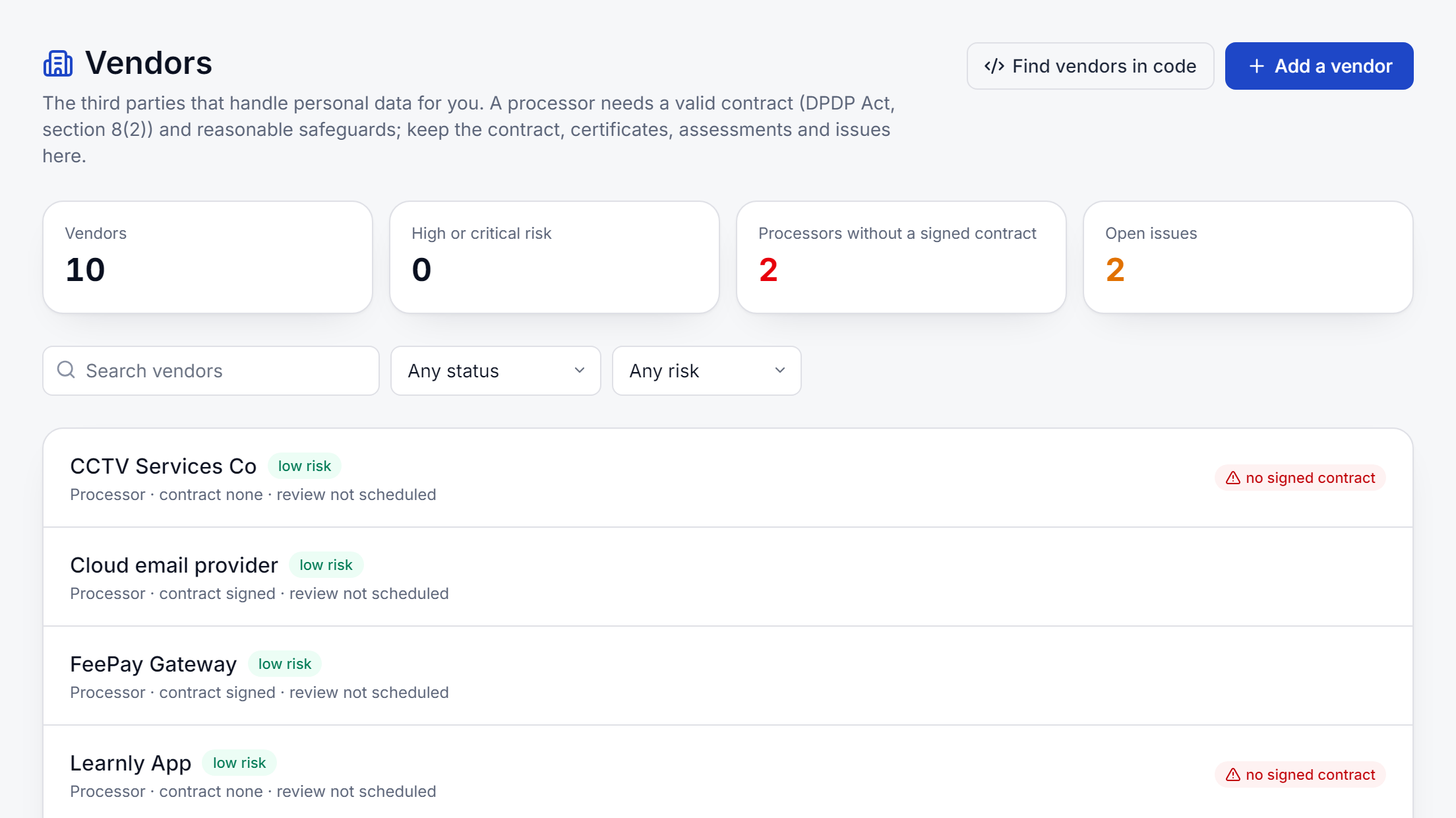
Three ways a vendor arrives
- From your codeThe data map already knows which outside services receive personal data. Add them as vendors in one step.
- From your websiteProcessors you named for your consent banner are linked to the same vendor, not kept twice.
- By handAnyone else: the transport company, the payroll bureau, the printer who handles report cards.
Contracts
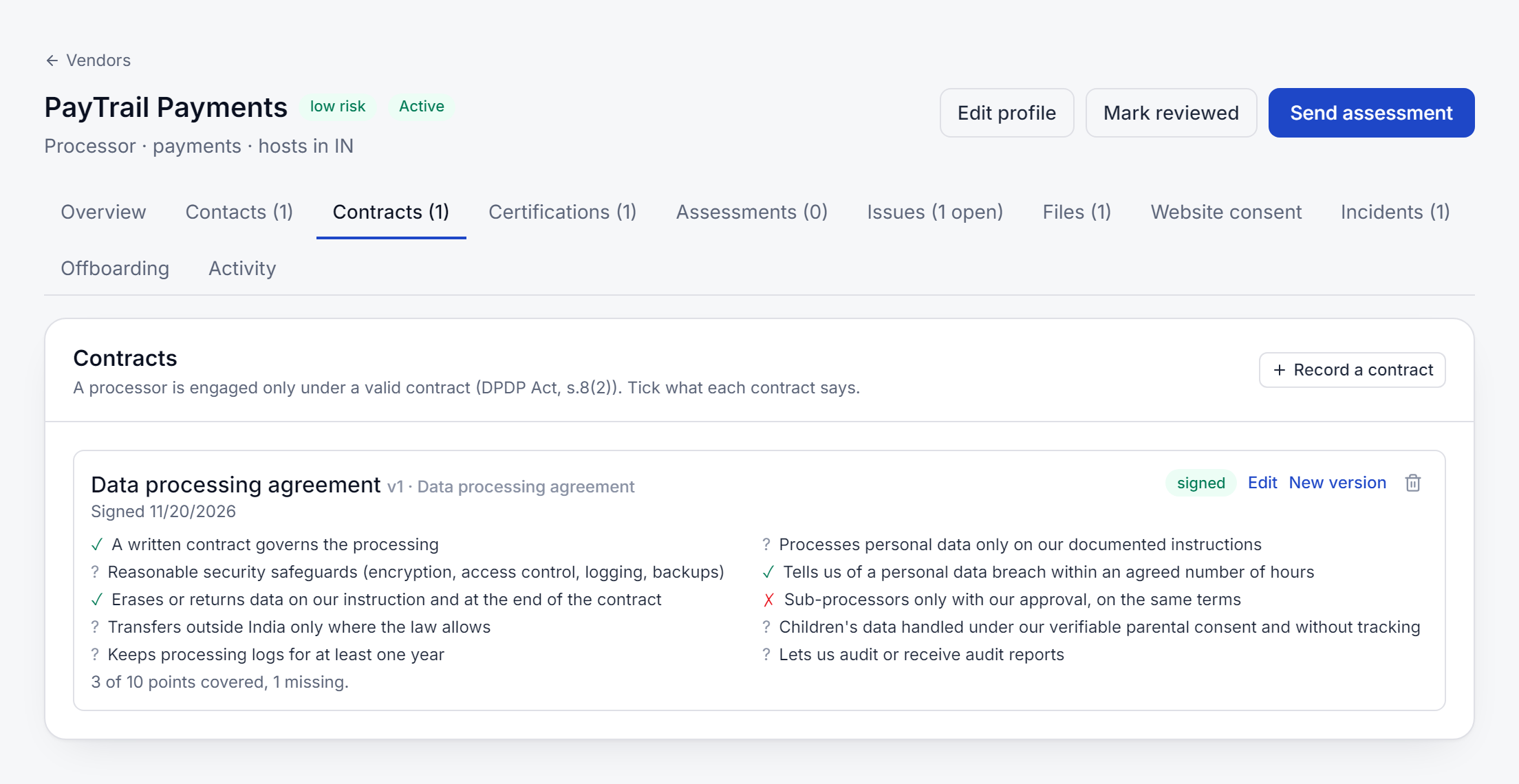
Ten points every processing contract should cover.
Record each contract with its version, the date it was signed and the file. Then tick what it says: written instructions, security safeguards, telling you of a breach within agreed hours, erasing on your instruction, sub-processors only with your approval, transfers outside India, children's data, logs kept for a year, and audit rights. Each point names the section of the Act it comes from.
- A processor marked active without a signed contract is flagged, never blocked
- Certificates such as ISO 27001 or SOC 2 kept with their expiry dates, with an alert before they lapse
- Send a security and privacy questionnaire; weak answers become issues with an owner and a due date
- A vendor's proposed new sub-processor waits for your approval
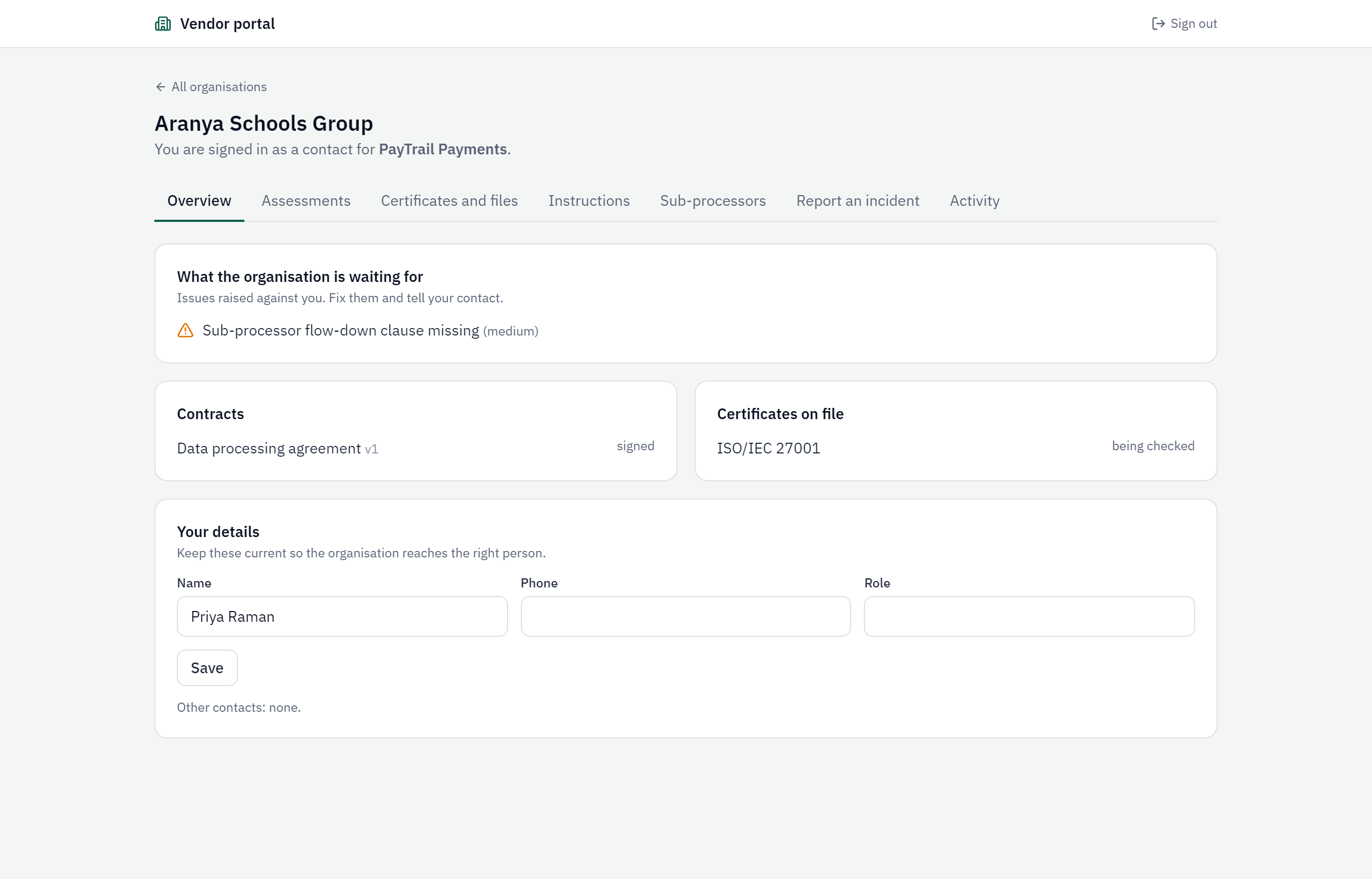
The vendor portal
Let the vendor answer for themselves.
Invite a person at the vendor. They sign in with a code sent to their email, see only their own record with you, and do the work themselves: answer the assessment, upload the signed agreement and their certificates, confirm an erasure instruction with evidence, propose a new sub-processor, or report an incident. They do not use one of your seats, and everything they do is logged for you.
Offboard with proof that your data is gone
When a contract ends, send the vendor an instruction to erase or return your data, record their deletion certificate, keep the processing logs for a year, then retire the vendor. Each step is dated, and the vendor's incidents, files and activity stay on record after the contract ends.
Comes with the Processing Register, or on its own
The register's activities pick their recipients from the same vendor list, so a vendor is kept once. Organisations that only need vendor management can have it without the register.
See it on your own case.
Tell us what you collect and from whom. We will show you the product on your forms, register or code.