 Scrutora
Consent Withdrawal
When someone says stop, finish the job in every system.
A parent withdraws a consent. A former customer asks you to erase their data. Saying yes is easy; the work is in the CRM, the app database, the backups and the vendors. Scrutora lists every one of them for that person and tracks each to done.
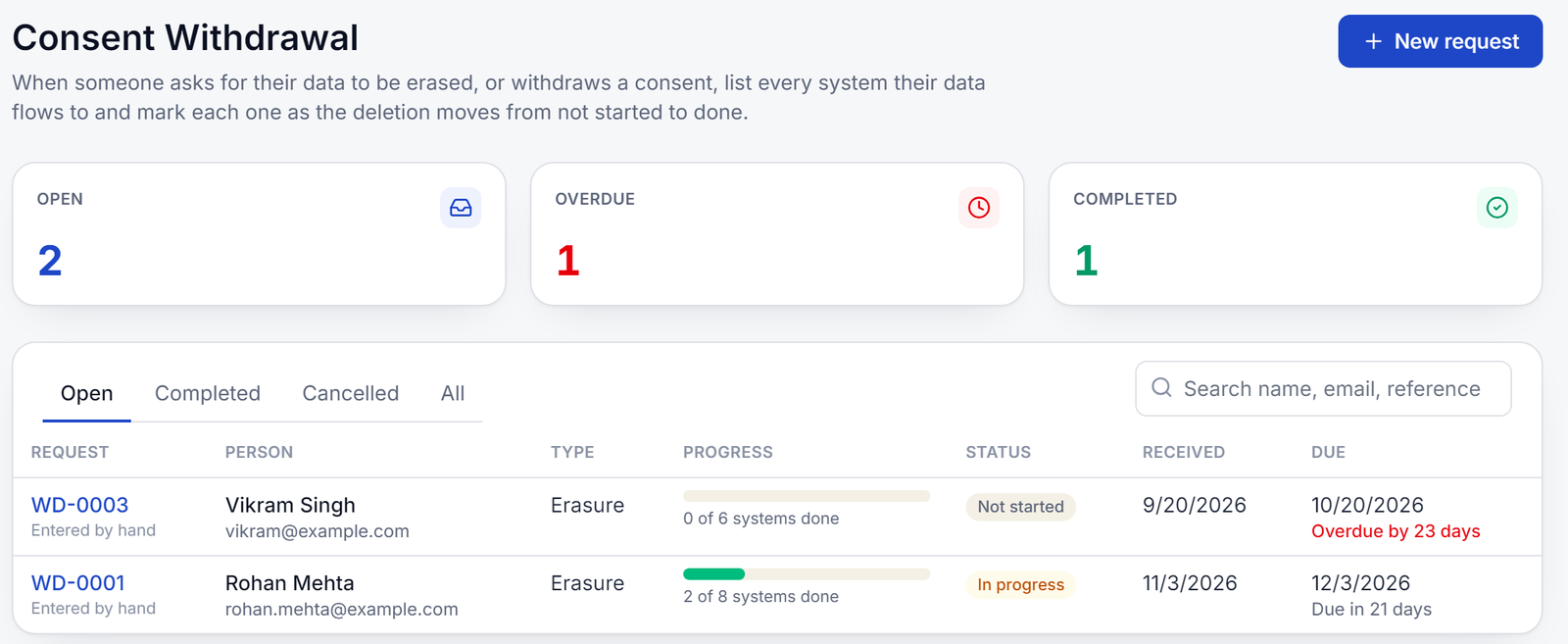
Three ways a request opens
- By handSomeone emails, calls or writes in. Enter the person, the request and the date it arrived.
- From a rights requestAn erasure or withdrawal request made through your website opens a tracker with one click.
- By itselfWhen a person withdraws on a Consent Capture receipt, the request opens without anyone typing it.
The list of systems
Every place their data went, filled in for you.
The tracker starts from your Processing Register: the systems and vendors behind the purposes the person withdrew from, or behind everything for an erasure. If a system keeps backups, the backups get a line of their own. Where the register is empty, the data map from your code fills the gap.
- Each line says what to do, who owns it and how long it usually takes
- Systems that cannot delete on request are flagged before anyone tries
- Add or remove lines for this request without changing the register
- Found a system the register missed? Add it to the register from the line
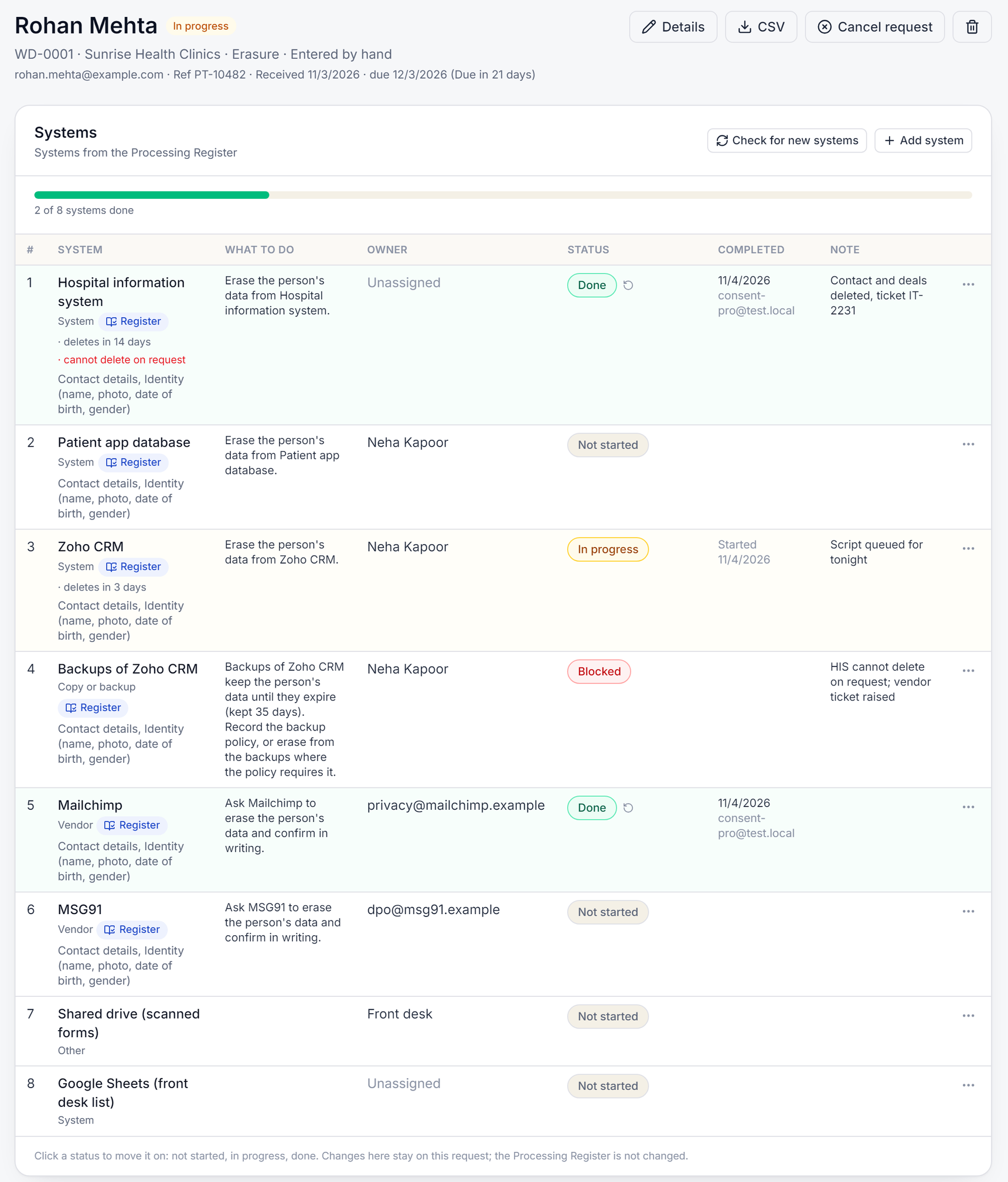
Moving it to done
One click moves a line on. The request follows.
Each line goes from not started to in progress to done, or is marked blocked or not applicable with a note. The request is done when every line is. Due dates count down on the list, so nothing quietly runs late.
- A note on every line: the ticket number, the vendor's confirmation
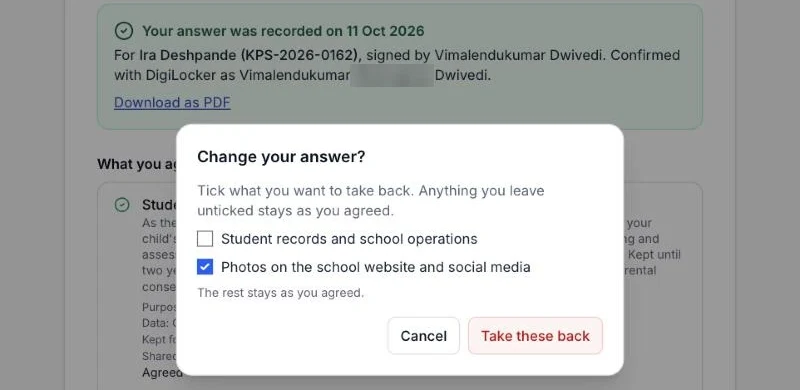
- Withdrawing one purpose leaves the others in place
- Cancel or reopen a request, with the reason kept
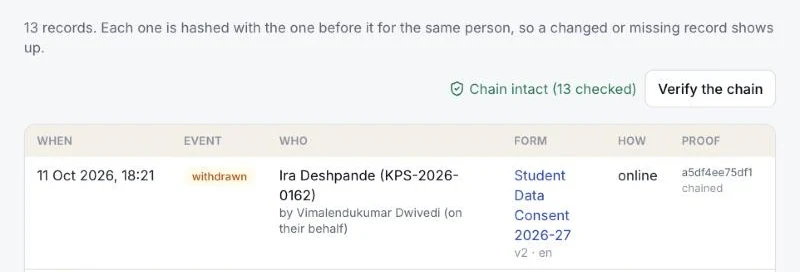
The record
A dated log you can show.
Every change is recorded with who made it and when. The log names the fields that changed, never the personal data itself, so it can be shared with an auditor. Export any request as a spreadsheet.
Included with Consent or the Processing Register
The tracker comes with either module, because it needs one of them to know where the data went. Your administrator can switch it on or off for your organisation.
See it on your own case.
Tell us what you collect and from whom. We will show you the product on your forms, register or code.