
Part one covered what the DPDP Act and its Rules require before you process a child's data, and showed a parent giving verifiable consent on Scrutora, through the DigiLocker check, down to the receipt and the log. This piece picks up from there: the parent changes their mind.
Withdrawing Consent
Section 6(4) asks for withdrawal that is as easy as giving consent. Here, it takes the same receipt link and a few clicks.
Step 9
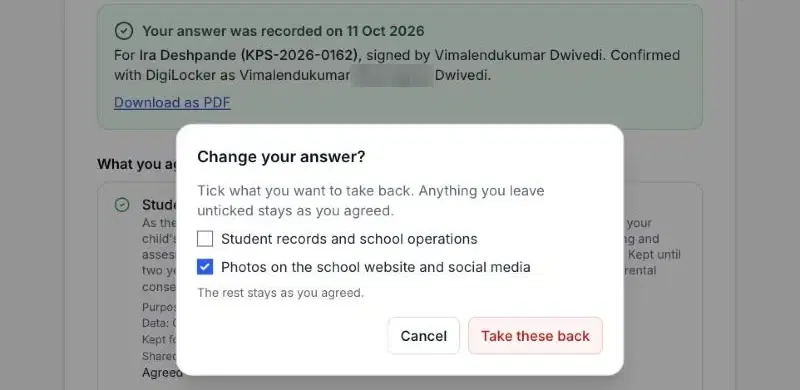
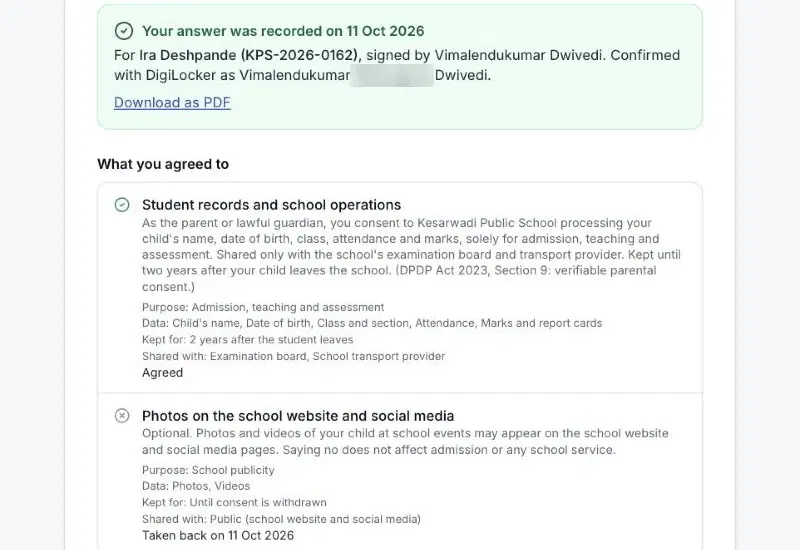
Withdraw one purpose
The parent opens the receipt and picks “Change my answer”. They tick only what they want to take back. Here, that is the photos. Everything else stays as agreed.
Step 10
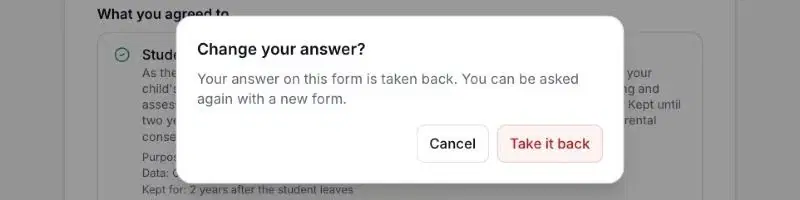
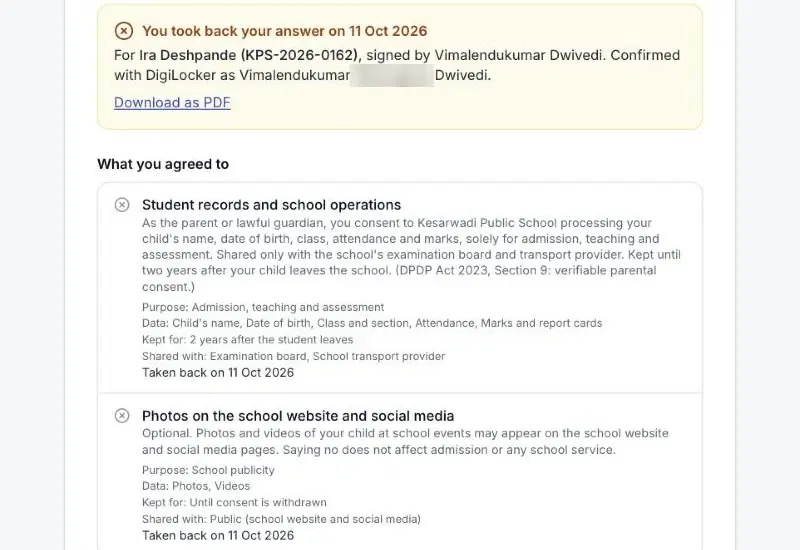
Withdraw everything
The same screen lets the parent take back the whole answer. One confirmation, and it is done.
Step 11
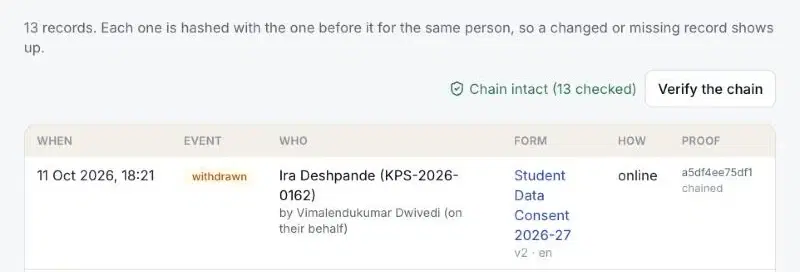
The withdrawal is on the record too
The log gains a “withdrawn” event for the same child and signer. The chain still verifies. Nothing was overwritten. The history of consent and its withdrawal sits in one sequence.
Watch the whole flow here, start to finish:
What the School Can Show
If a parent, an auditor or the Data Protection Board asks, the school can point to each requirement.
| Requirement | What the record holds |
|---|---|
| Sec. 9(1) | Consent recorded before processing, about a named child, signed by the parent. |
| Rule 10(1) | The signer checked as an identifiable adult through DigiLocker. The verified name is stored with the answer. |
| Sec. 6(1) | Separate consent for each purpose, with the data, retention and sharing stated. Nothing pre-ticked. |
| Sec. 6(4) | Withdrawal from the same receipt, per purpose or in full, in a few clicks. |
| Sec. 6(10) | A hash-chained log the school can verify at any time. It shows consent was given, and when it was taken back. |
What Verification Does Not Prove
DigiLocker confirms that the signer is a real, identifiable adult. It does not prove that this adult is the child's parent. That link comes from the school's own records: the admission file, the contact the invite went to, and the child's admission number on the form. Keep those records accurate. They carry half of the proof.
Vimalendukumar Dwivedi is Co-founder of Scrutora, a Code Compliance Platform.
Run it on your own forms
Scrutora Consent Capture handles the form, the parent check, the receipt, withdrawal and the log in one flow.
Share this article